Customer Service

Customer Support Specialist Resume Example

A customer support specialist resume needs to clear ATS filters for the exact tools you use while proving technical troubleshooting ability and empathy. Here is how to show both at a glance.

Customer Support Specialist Resume Sample

A complete, recruiter-approved example you can use as a starting point. Open it in the builder to edit every line.

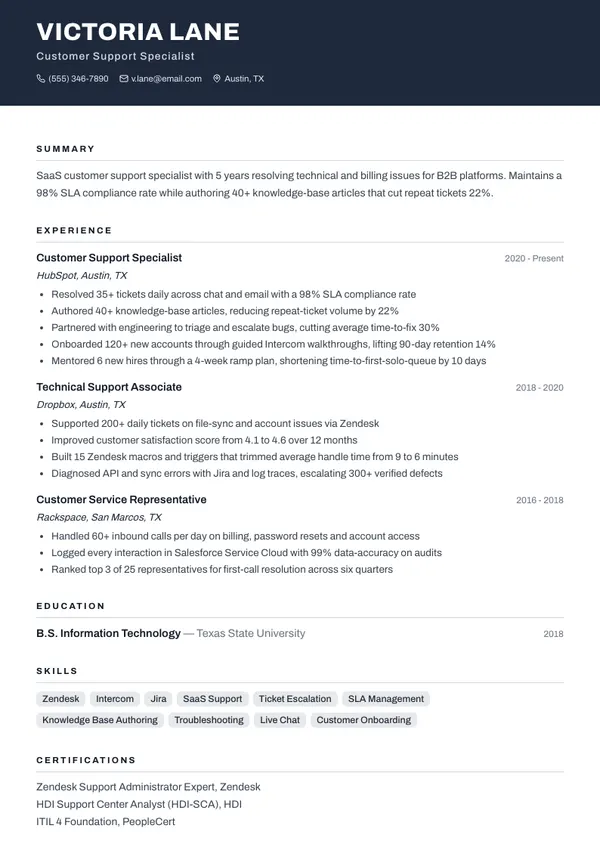
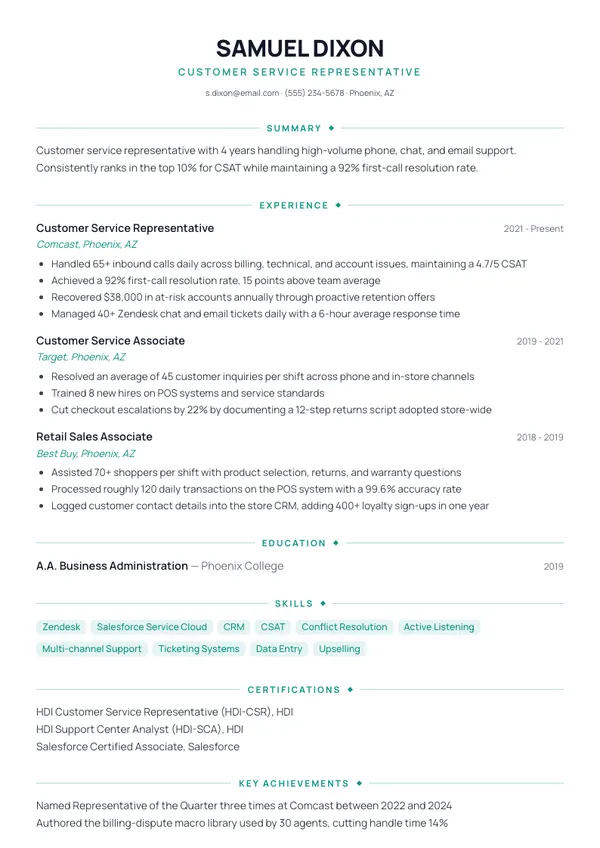
Customer Support Specialist resume example rendered in the Metro Band template
Built with the Metro Band template

VICTORIA LANE

Customer Support Specialist

Austin, TX · v.lane@email.com · (555) 346-7890

Summary

SaaS customer support specialist with 5 years resolving technical and billing issues for B2B platforms. Maintains a 98% SLA compliance rate while authoring 40+ knowledge-base articles that cut repeat tickets 22%.

Experience

Customer Support Specialist · HubSpot

2020 - Present

  • Resolved 35+ tickets daily across chat and email with a 98% SLA compliance rate
  • Authored 40+ knowledge-base articles, reducing repeat-ticket volume by 22%
  • Partnered with engineering to triage and escalate bugs, cutting average time-to-fix 30%
  • Onboarded 120+ new accounts through guided Intercom walkthroughs, lifting 90-day retention 14%
  • Mentored 6 new hires through a 4-week ramp plan, shortening time-to-first-solo-queue by 10 days

Technical Support Associate · Dropbox

2018 - 2020

  • Supported 200+ daily tickets on file-sync and account issues via Zendesk
  • Improved customer satisfaction score from 4.1 to 4.6 over 12 months
  • Built 15 Zendesk macros and triggers that trimmed average handle time from 9 to 6 minutes
  • Diagnosed API and sync errors with Jira and log traces, escalating 300+ verified defects

Customer Service Representative · Rackspace

2016 - 2018

  • Handled 60+ inbound calls per day on billing, password resets and account access
  • Logged every interaction in Salesforce Service Cloud with 99% data-accuracy on audits
  • Ranked top 3 of 25 representatives for first-call resolution across six quarters

Education

B.S. Information TechnologyTexas State University · 2018

Skills

Zendesk, Intercom, Jira, SaaS Support, Ticket Escalation, SLA Management, Knowledge Base Authoring, Troubleshooting, Live Chat, Customer Onboarding

Certifications

Zendesk Support Administrator Expert, Zendesk

HDI Support Center Analyst (HDI-SCA), HDI

ITIL 4 Foundation, PeopleCert

Key Achievements

Support Specialist of the Year 2022, HubSpot Austin service organization

Highest CSAT on a 40-person team for eight consecutive quarters (4.8 of 5)
Must-Have Keywords for Customer Support Specialist Resumes

These are the keywords ATS systems and recruiters search for. Include them naturally in your Skills, Summary, and Experience sections.

ZendeskIntercomJiraSaaS SupportTicket EscalationSLAKnowledge BaseTroubleshootingAPI BasicsCustomer RetentionLive ChatOnboarding

The Right Resume Structure for Customer Support Specialist Roles

ATS systems parse your resume top to bottom. The order of your sections matters — here is the order that works best for Customer Support Specialist applications:

  1. 1Contact Information
  2. 2Professional Summary
  3. 3Core Skills
  4. 4Work Experience
  5. 5Education
  6. 6Certifications

ATS Optimization Tips for Customer Support Specialist Resumes

  • Specify the SaaS tools you support (Zendesk, Intercom, Freshdesk) and any technical stack knowledge (basic SQL, API logs).
  • Quantify SLA performance: response time, resolution time, backlog reduction.
  • Show you can write: mention knowledge-base articles or macros you authored.
  • Include escalation handling — how many tickets you resolved without engineering involvement.
  • Highlight cross-functional work with product or engineering teams reporting bugs.
  • If you support B2B software, name the industry (fintech, martech, etc.) — it signals domain fit.

Ready to Build Your Customer Support Specialist Resume?

Start from this pre-filled Customer Support Specialist example — it already has the right keywords, format, and structure. Edit every line in the builder.